
How to Search the Dallas County Court Docket
Start at the Dallas County Online Record Search hub. That page is the front door to the combined County and District Courts Portal, and it tells you which clerk to call for a given record. From there, the tools split by purpose. Smart Search handles case information. Search Hearings fits date-driven questions about settings. Make Payments exists for transactions alone, so don't rely on it just to view a Dallas County court docket.
- Identify the case type and court level from a notice, citation, pleading, or case number.
- Use the Dallas County Courts Portal for district and county case information, or the correct JP or municipal source for a lower-court matter.
- Search the full case number first. For a name, follow Last, First Middle Suffix order and add date, court, status, or case-type filters.
- Open the likely result and compare its court, filing date, party role, status, and recent event. A name alone is not enough.
- Check Search Hearings or the assigned court's daily docket for a date question. Confirm a changed setting with the court.
- Ask the responsible clerk for a plain, certified, or exemplified copy when an index entry is not sufficient.
One quirk trips people up. The portal needs JavaScript and cookies, and a session can lapse after just 60 seconds. Prepare your query before you open it. When you save what you did, note the official URL, access date, filters, court, and case number, but leave out sensitive personal details.
Dallas County Smart Search Fields
The Dallas County court docket portal gives you two ways in. Use a full record number, or search by party. Party searches separate exact names, nicknames, business names, and sounds-like matching. Advanced filters cover location, search type, case type, case status, filing dates, and judicial officer. Phone, FBI, SO, and booking-number filters stay optional. Each works only when you select its matching control first.
| Search field | Format or role | Useful caution |
|---|---|---|
| Record Number or Name | Case number or Last, First Middle Suffix | A number wildcard needs at least four characters |
| Last and First Name | Separate text fields | Last-name wildcard needs three characters; first needs one |
| Business or Nickname | Separate search mode | Wildcard needs four characters plus an asterisk |
| Case Type and Status | Advanced dropdown filters | Live options must be read in the current portal |
| File Date Range | Start and end dates | Use a bounded span for a common name |
| Judicial Officer | Advanced dropdown | Confirms assignment, not the merits of the case |
The official Smart Search screen displays the current controls along with wildcard instructions. Because the fields shift, a repeatable Dallas County docket search should record every name entered and every filter applied. That habit makes any later lookup easy to reproduce.
What a Court Docket Shows
Think of a Dallas County court docket two ways. It is an event index for one case. Or it is a setting list for one court. In the case view you may find filings, notices, hearings, orders, service events, and a status line. A daily docket is narrower. It points to the next setting. It usually lists Party Name, Date, Time, Room, and Floor. Civil calendar samples sometimes add Floor/Court and Case Number.
| Case Number | The record identifier used to search and route a clerk request. |
|---|---|
| Case Style / Parties | The caption and party labels; a name match still needs court and role checks. |
| Court and Judge | The assigned tribunal and judicial officer shown by the public source. |
| Filed Date and Status | The opening date and current index label, which may lag a recent event. |
| Docket Event | A filing, setting, order, disposition, or other recorded action. |
| Hearing Details | Date, time, room or floor, and sometimes hearing type or remote status. |
| Document Link | A public image when available; restricted or older material may require the clerk. |
An entry is not the document itself. "Disposed" says nothing about the terms of a judgment, and a setting listed on a docket does not prove the hearing actually happened. When the exact result matters, read the signed order or ask the clerk for a certified copy.
Dallas County Has Two Clerks
Here is the Dallas County fact the shared portal never announces. Two clerks split record custody. District Clerk Felicia Pitre holds state district civil, family, and felony criminal records. County Clerk John F. Warren keeps county misdemeanor, county civil, probate, and related records. Lower-court dockets live elsewhere, with the JP offices and the municipal courts keeping their own.
Match the clerk to the case. A result in one combined Dallas County portal does not change which office holds and certifies the original file.
For District Clerk civil and family records, call 214-653-6076. Felony records sit with the District Clerk criminal section at Frank Crowley. County Clerk civil, misdemeanor, probate, and Central Records questions go through the County Clerk's current division pages. Or use its general line, 214-653-7099. Clerk staff can explain access and fees. They cannot give legal advice or change a court setting.
Which Courts Keep Dockets
Texas district courts serve as the main general-jurisdiction trial courts, yet they are only one slice of the Dallas County court docket map. The court name decides both where you search and which office keeps the file. Keep the boundaries straight. A City of Dallas case is not a Dallas County district case, and a JP case does not land with the District Clerk just because that office sits in Dallas County.
| Court | Docket covers | First search route |
|---|---|---|
| District Court | District civil, family, felony, and designated juvenile matters | County Portal and District Clerk |
| County Courts at Law / county criminal | County civil and misdemeanor matters by assignment | County Portal and County Clerk |
| Probate Courts 1, 2, and 3 | Probate, guardianship, estates, and related proceedings | County Portal and County Clerk probate route |
| Justice of the Peace | Limited civil, eviction, debt, traffic, and other JP matters | Correct precinct and place |
| Municipal Court | City ordinance and Class C fine-only cases | Issuing city's court system |
| Federal courts | Federal district, bankruptcy, and appellate matters | PACER/CM-ECF and the federal clerk |
Dallas state appeals go to the Fifth Court of Appeals. Don't confuse it with the federal Fifth Circuit, a different court that runs on federal systems.
Dallas County Case Numbers Route Searches
A case number does more than speed up a lookup. It pins a result to one court. It also lets the clerk pull the right file, document, or setting. Dallas civil daily docket entries carry prefixes like DC and DF. The county publishes no single code glossary covering every court. Copy the prefix, punctuation, and digits exactly, and resist guessing at an unfamiliar code. No number? Give the clerk the names, an approximate filing year, the case type, and the likely court. Under the District Clerk fee schedule, a name or instrument search without a case number costs $5. A strong request also says what you need. That could be a case index, a named filing, a certified document, or an exemplified copy.
Finding Court Dates and Settings
The Dallas County Hearing Search lets you filter by location and hearing type. You can also filter by search type, name or another criterion, judicial officer, courtroom, and a date-from/date-to range. Separate daily docket pages exist too. They can list Party Name, Date, Time, Room, and Floor for a chosen court. Keep the date range tight. Then compare the two sources before you rely on either. A daily docket tells you what is scheduled. It does not tell you what has already happened in the case. Each court also sets its own rules for how a matter becomes a formal setting. The 162nd District Court is one example. A hearing is not formally on its docket until a Notice of Hearing is e-filed, it states. An email or an oral announcement will not remove it either. A settlement, nonsuit, agreed order, or proper notice may be required. Remote access varies by court, too. County Court at Law No. 4, Probate Court No. 3, the family courts, and the municipal courts are all examples. Each may publish different Zoom or Teams terms. Confirm the court, the hearing type, the date, and the current link every time. The full Dallas County court calendar process covers resets and missed settings.
When Dallas County Search Fails
A blank result never proves a case did not exist. Many things can hide a record. Spelling errors, broad names, the wrong clerk, restricted cases, old paper files, portal delays, city or JP matters, and session errors can all do it. Dallas County's Odyssey changes and past data conversions add another wrinkle. Whenever a result surprises you, save the date and the source.
- Try the exact case number, then the permitted wildcard and a carefully narrowed party search.
- Check the court's daily docket and Hearing Search when the question is about a date.
- Use the public-access support form for a portal fault, including case number, problem, contact details, and visited URL.
- Call or email the right clerk and ask whether the file is restricted, paper, archived, delayed, or held by another court.
- Visit a public terminal or records counter if online access still fails.
- Send a written request by mail or the documented email channel when the actual document is needed.
Hit a dead end in a Dallas County docket search? The fix depends on the court. Federal cases live in PACER. A city citation belongs to that city's municipal court, not the county. Justice court matters require the precinct. You can pin down the precinct through the Dallas County JP directory.
Public Access to Dockets
Not every request follows a route. Some Dallas County court files sit outside the standard Texas Public Information Act path. Government Code section 552.0035 sends you elsewhere instead. Judiciary information is governed by applicable law and Supreme Court rules. Rule of Judicial Administration 12 covers judicial records. But it treats them as distinct from case records, which other rules and laws control.
Key access rules. Rule 21c protects listed sensitive data in civil filings, Rule 76a governs civil sealing procedure, Texas Family Code Chapter 58 protects juvenile records, and Family Code section 85.007 restricts certain protective-order information.
A case can be public while a document inside it stays closed. "Not online," "redacted," "sealed," "restricted," and "not located" each mean something different. Ask the keeper what may be released. Ask, too, whether you need a court order or a prescribed request. Don't guess at protected facts by reading neighboring public docket entries.
Dallas County Odyssey Record Changes
Dallas County's current docket system sits on a long data history. Felony operations once ran on a 1976 mainframe. That era lasted until the move to Windows and Odyssey in May 2023. The District Clerk converted roughly 2,314,823 felony cases in that migration. Some go back to 1968. Treat that figure as a historical conversion count. It is not a pending caseload or an annual filing total.
Conversion errors show up in local reporting. So do later repairs. A January 2026 deployment of Odyssey Custom Business Rules was designed to conform data to business rules. It could also route e-file errors into a queue. So a missing or corrected event may reflect system work. It need not signal a legal change in the case. When a record looks odd, verify with the District Clerk.
Dallas County Search and eFileTexas
The local public docket, re:SearchTX, and eFileTexas.gov each do a different job. eFileTexas.gov is the statewide filing channel. The Texas Office of Court Administration runs it. A filing can be accepted or rejected in that work queue before any event reaches the public Dallas County court docket. Keep the receipt separate from the docket itself. And remember that an event label rarely tells you everything inside a document. OCA bills re:SearchTX as a role-based statewide system. It holds cases dating to 2016 and excludes criminal case records. For permitted case, filing, and hearing research it helps. But it is no anonymous stand-in for the Dallas portal. Start with the county source. Then follow the access prompts for your role.
The Clerk and Docket Records
The portal finds a case. The clerk supplies the document. For copies, both Dallas County clerks list $1 per page on ordinary paper. Certification adds cost. The County Clerk generally charges $5 per case where certification or exemplification is requested. The District Clerk lists $5 per certified document. It adds another $5 for exemplification on top of certification. Fee schedules phrase products differently, so ask for a current estimate first.
Dallas County Clerk
County misdemeanor, county civil, probate, and related County Clerk records
George L. Allen, Sr. Courts Building
600 Commerce Street, Dallas, TX 75202
214-653-7099
Dallas County District Clerk
District civil, family, felony criminal, and designated juvenile records
George Allen for civil and family; Frank Crowley for felony records
Civil/family records: 214-653-6076
You are not limited to a screen. Public terminals, counters, mail, email, and clerk-specific request forms all remain valid ways in. Some older County Clerk files sit in warehouse storage. They must be retrieved. A 2026 Central Records move notice also changed service and year availability. Check the live division page before you travel or pay.
Dallas County Record Search Boundaries
The county record-search hub shows the County Clerk and District Clerk split up front. That boundary matters. It's the right checkpoint. Once a docket search has found your case, the next step is a copy, a clerk question, or a records division. The official Dallas County record-search page lays out those clerk routes and carries the county's warning that portal data is not the official record.
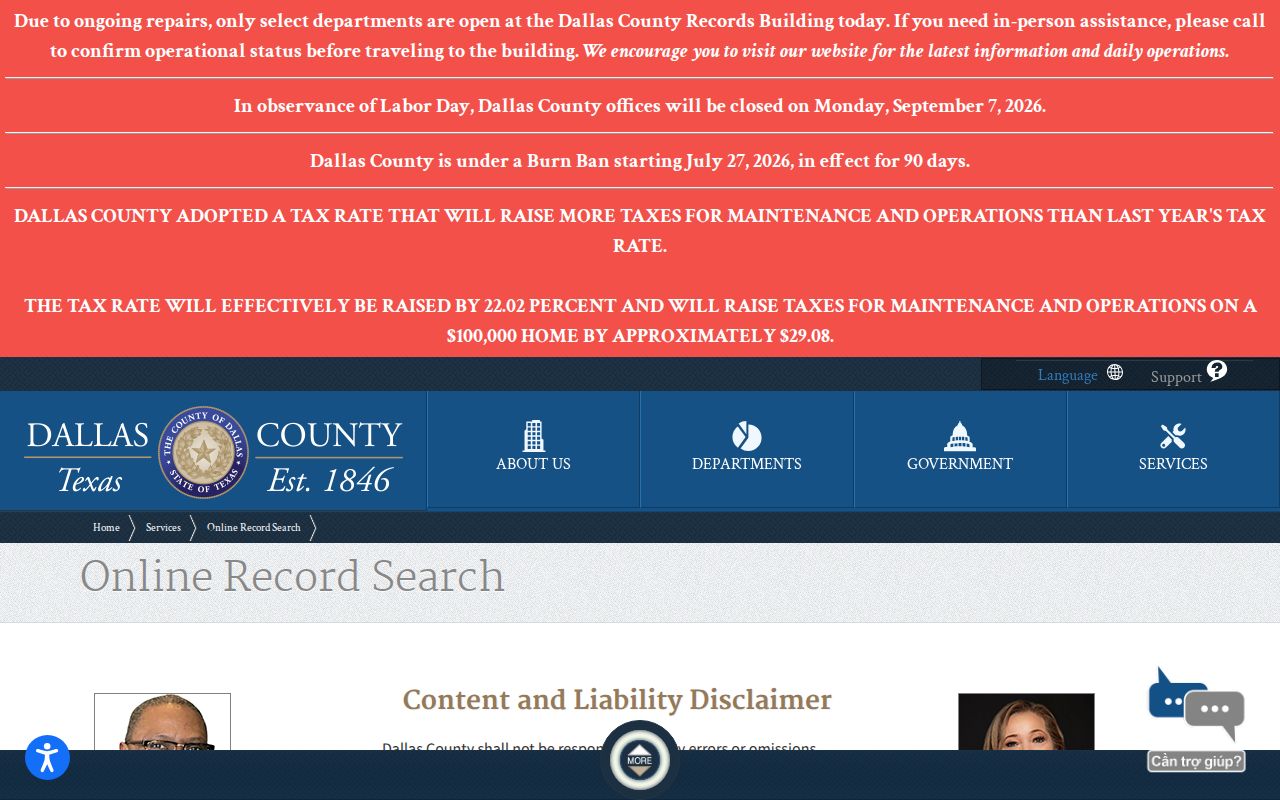
Those split links carry a practical lesson. Sort out felony versus misdemeanor, and district civil versus county civil, before requesting any Dallas County court record.
Court Dockets by City in Dallas County
Municipal courts keep their own dockets. City ordinance cases and Class C fine-only matters sit outside the Dallas County clerk system entirely. The city named on the citation comes first. It controls the search even if another county court building sits closer. Each city brings its own search keys, payment warnings, records channels, and court-date rules.
Dallas Court Docket
Search Dallas Municipal Court citations by citation number, name and birth date, docket number, or police case number.
Irving Court Docket
Use Irving's current-case portal, citation number with license or birth date, or the Criminal Justice Center.
Garland Court Docket
Garland offers citation, license, plate, name, and business search modes through its municipal court route.
Grand Prairie Court Docket
The city citation and warrant source can show a court date and case status, with a separate municipal court counter.
Mesquite Court Docket
Mesquite is a municipal court of record; its official court page and clerk phone are the confirmed access route.
An appeal can spin a city case into a separate county record. Search that new Dallas County matter under its county case number. Never assume the municipal number carries over.
Map and Directions to the George L. Allen, Sr. Courts Building
District Court civil and family records for Dallas County are kept at the George L. Allen, Sr. Courts Building, 600 Commerce Street, in downtown Dallas, where the County Clerk's civil division is in Suite 101 and District Clerk administration is in Suite 103. Felony criminal district records are kept separately at the Frank Crowley Courts Building, 133 North Riverfront Boulevard, where the District Clerk's criminal section is on the second floor. Probate Courts 1, 2, and 3 and the Fifth Court of Appeals, in Suite 200, are also in the Allen Building. Juvenile matters route instead to the Henry Wade Juvenile Justice Center, 2600 Lone Star Drive, where District Clerk access is limited to attorneys of record and litigants with a signed court order.
George L. Allen, Sr. Courts Building
600 Commerce Street
Dallas, TX 75202
214-653-6076
Monday through Friday, 8:00 a.m. to 4:30 p.m.
Frank Crowley Courts Building
133 North Riverfront Boulevard
Dallas, TX 75207
214-712-3088
Central Records cashiers close at 4:15 p.m. and requests should arrive before 4:00 p.m.; bring identification for any form that requires it, and confirm current service notices before a visit, since the County Clerk's 2026 records-move notice temporarily changed some in-person service and available year ranges.