
Searching Cases by Name
Names go into the Dallas County Courts Portal Smart Search in a set order. Type Last, then First, then Middle, then Suffix. Start there. If the results pile up, cut them down with a date range or case filter. The form also splits party name, nickname, business name, and sounds-like into their own fields. A business belongs in business mode, never in a person field.
- Open Smart Search from the official Dallas County Courts Portal, not the payment screen.
- Enter the last name and first name in the stated order. Add a middle name or suffix only when known.
- Select Include Cases, then narrow by location, search type, case type, status, file-date range, or judicial officer as needed.
- Open a plausible result and compare its court, case number, filing date, party role, and status. Similar names alone are not a match.
- Record the source, access date, exact search mode, and filters. Confirm formal facts with the clerk that holds the original record.
The Dallas County case search screen lays out its fields on the portal itself. Dropdown choices can change, so read the current options there rather than relying on any fixed list.
| Field label | Type | Required | Format or use |
|---|---|---|---|
| Record Number or Name | Text | Not marked | Record number or Last, First Middle Suffix |
| Last, First, Middle, Suffix | Text/select | Not marked | Separate party-name controls; middle and suffix help narrow |
| Location / Search Type | Select | No | Live choices not exposed in static source |
| Party, Nickname, Business, Sounds Like | Mode control | No | Choose the mode that fits the subject |
| Phone, FBI, SO, Booking Number | Checkbox/filter | No | Select the identifier filter before using it |
| Case Type / Status | Select | No | Narrows case category and current state |
| File Date Start / End | Date | No | Limits the filing period |
| Judicial Officer | Select | No | Narrows the assigned officer |
Dallas County Smart Search Wildcards
Wildcards have posted minimums. A record number wildcard takes at least four characters. A business or nickname wildcard needs four characters plus an asterisk. Last names need at least three characters, and first names at least one. That keeps a partial query from sweeping in everything. The official Smart Search screen posts the field layout and these wildcard rules.
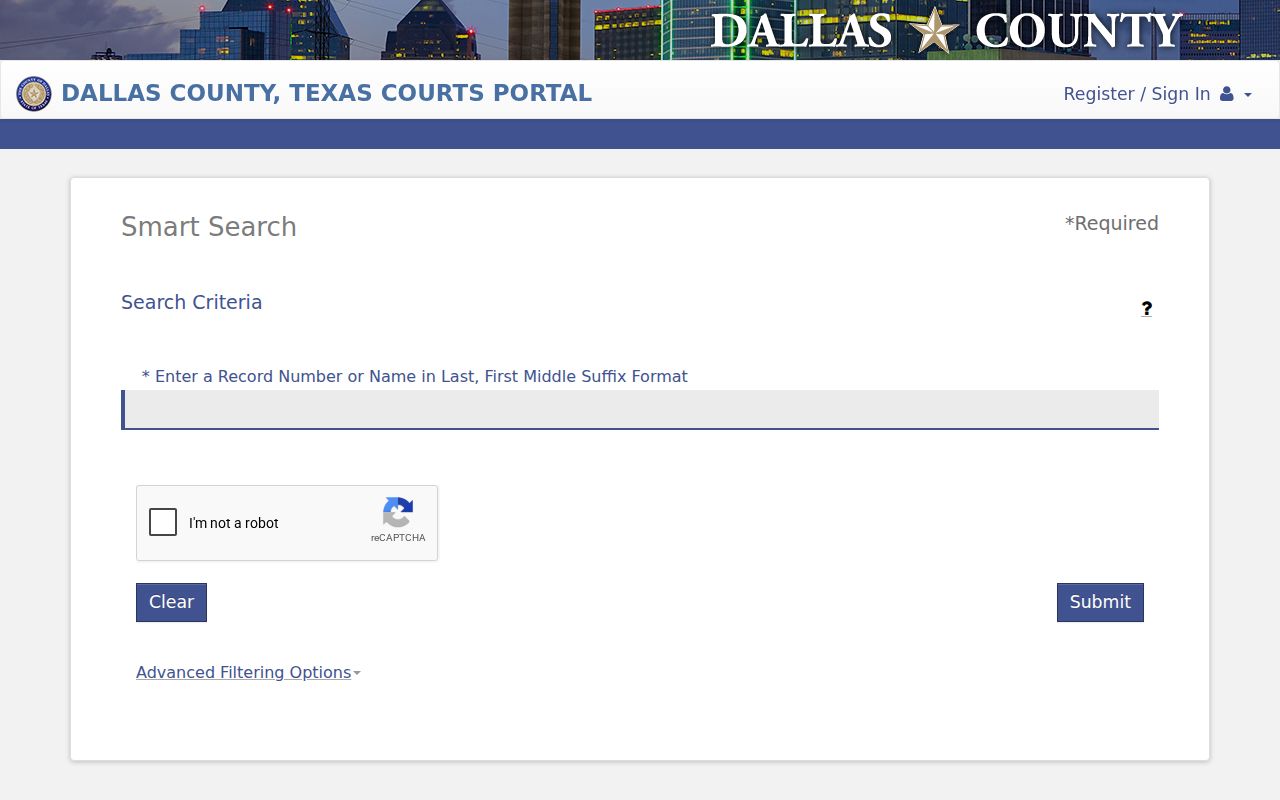
Note the search mode and spelling you used. A wildcard hit is only a lead. The case number and the court named in the result are the firmer checks. Prepare the query before opening the portal, too. A session can expire after 60 seconds. Blocked cookies, JavaScript problems, or an unsupported browser can throw an error that looks like a missing case. None of that means the docket is empty.
Searching by Case Number
A full Dallas County case number is the best search key because it sidesteps the trouble of common names. Enter the whole number first. If punctuation or an exact entry fails, Smart Search permits a wildcard after at least four characters. Never invent missing digits, and never treat a partial-number match as final.
Dallas civil daily docket samples carry prefixes such as DC and DF. No complete clerk-approved code map exists here, so do not stretch a prefix into a case meaning without confirmation from the court. Copy the number exactly as it appears on a notice, pleading, receipt, or docket result.
The number also routes the record. It should show whether the District Clerk holds a district civil, family, or felony file; whether the County Clerk holds a misdemeanor, county civil, or probate file; or whether the matter sits in a JP or municipal court.
Dallas County Party Search Modes
Party name, nickname, business name, and sounds-like are separate tools, not one search. A hit in one mode is just that. It does not prove another mode indexes the same text. Pick the mode that fits the fact you actually know. Sounds-like helps with a plausible spelling problem. It is not proof of identity. When results run broad, tighten them. Use file dates, location, status, case type, or judicial officer.
| Mode | Best use | Check before relying |
|---|---|---|
| Party name | A person's known legal name | Party role, court, filing date, and case number |
| Nickname | A name variant the index may carry | Match against the formal style of the case |
| Business name | An entity rather than an individual | Entity spelling and correct search-type control |
| Sounds Like | A likely spelling or transcription variant | Every returned identifier, not the name alone |
The phone, FBI, SO, and booking-number filters each need the right checkbox switched on. Even checked, a filter may not be indexed for every Dallas County court or case type.
What a Case Search Returns
A Dallas County case search returns enough data to locate the matter. That can frame a sharper question. It is an index of case information, not a certified file. A daily docket may show the next setting. For a signed order or pleading, though, plan on a clerk copy request.
| Case Number | The stable record identifier to save and use when contacting the court or clerk. |
|---|---|
| Style / Parties | The caption or party labels; verify roles and do not identify a person from name alone. |
| Case Type | The category that helps identify the court and responsible record keeper. |
| Filed Date | The date the case was filed, useful for separating similar results and locating older records. |
| Status | An index label such as open, closed, or disposed; read the event and order before drawing a conclusion. |
| Events / Documents | Entries or images the public view exposes, which may omit sealed, restricted, or not-yet-indexed material. |
The portal warns that its data can be incomplete or out of date. It is not the official record. For formal proof, request the right document from the proper Dallas County clerk.
Dallas County Search Is Not Payment
The Courts Portal landing page splits its work into three paths. They are Smart Search, Search Hearings, and Make Payments. The payment search accepts citation number, case number, party name, business name, and driver's-license criteria. But choosing it moves you toward a legal payment action. Do not open it just to view a free docket. The combined Dallas County Courts Portal draws the line plainly.
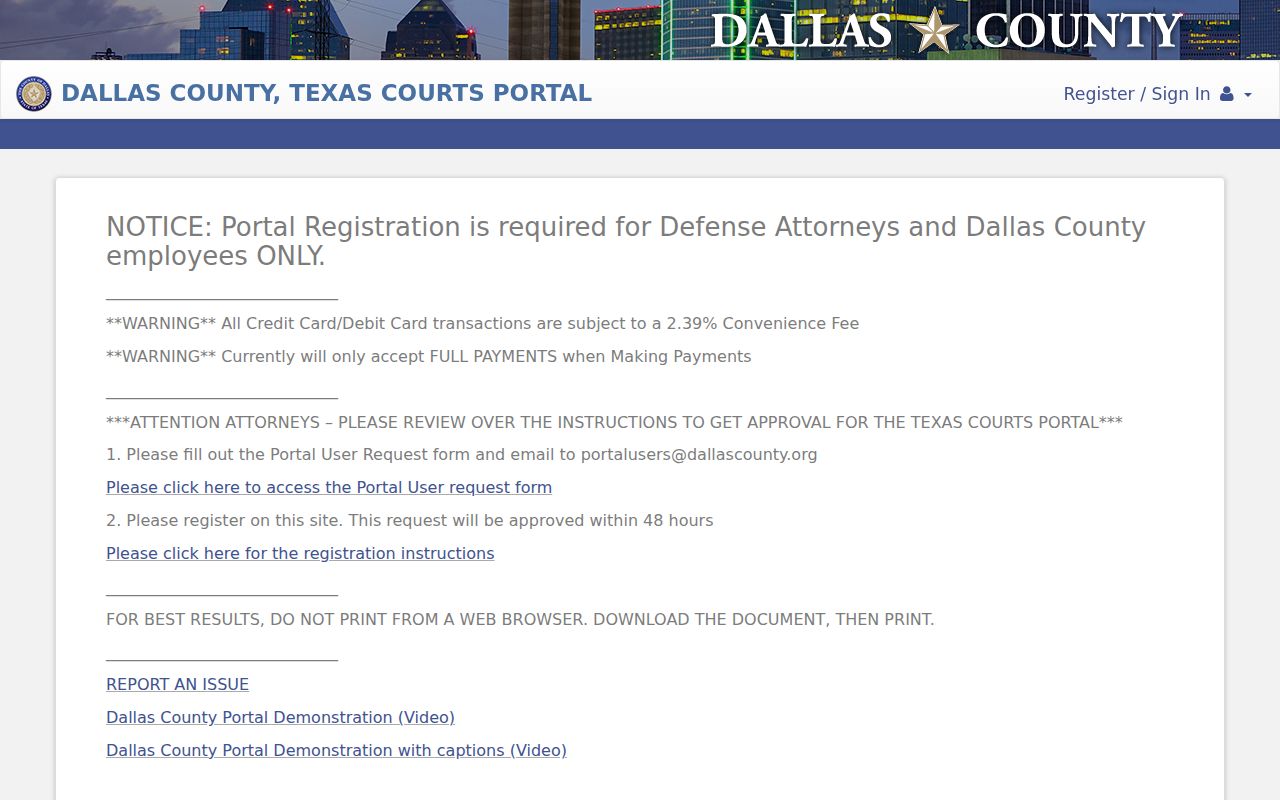
Those separate tiles carry a message. Smart Search is for case information, Search Hearings is for settings, and Make Payments is a transaction route with teeth. The portal lists a 2.39 percent credit or debit convenience fee. It also posts a current full-payment limit. A payment can carry legal consequences, so read the court's terms and get case-specific advice before sending any funds.
Statewide vs County Case Search
re:SearchTX and Dallas County Smart Search do not give the public the same access. For Dallas district and county case information, the county portal remains the ordinary first stop. OCA describes re:SearchTX as a role-based statewide system, with cases dating to 2016 and search and tracking functions. One exclusion matters most. Criminal case records are left out. It is no full anonymous public stand-in.
| Point | re:SearchTX | Dallas County Courts Portal |
|---|---|---|
| Scope | Participating Texas data, with role-based access | Dallas County district and county categories |
| Public fit | Access depends on user role and prompt | Public browsing and Smart Search need no registration |
| Known limits | Cases from 2016 and criminal exclusion described by OCA | May be incomplete, delayed, or not the official record |
| Best use | A permitted statewide research layer | A known Dallas County case or local clerk route |
eFileTexas.gov plays a different role entirely. It delivers filings to the courts rather than hosting case lookup for the public. The queue may show an acceptance. It may also show an error. Either way, that comes before any case event appears on the docket. Even then, a public event in the Dallas County court docket never exposes the full text of what was filed.
Dallas County Search Fallback Chain
A blank screen does not mean the case is gone. Spelling slips, the wrong search mode, or querying the wrong clerk will all return nothing. An old paper file can do the same. So can a restricted category, a simple indexing delay, or portal maintenance. A municipal or JP court may hold the case instead. Work down the source chain in order. Only then conclude that no Dallas County docket exists.
- Check the court category, case number, spelling, and search mode. Try a compliant wildcard, then add date, location, or case-type filters.
- For a date question, use Search Hearings and the individual court's daily docket.
- Report a technical problem through the public-access support form, supplying the case number, problem description, contact fields, and visited URL.
- Call, email, or visit the responsible clerk's counter. A public terminal may reach a record that is hard to view on a personal device.
- Send a written copy request by mail or the documented email channel when a document is needed. Include the case number, court, style, document date, and copy type.
- Move a city citation to the issuing city, a JP matter to the right precinct and place, and a federal matter to PACER or the federal clerk.
Clerk staff will explain access and confirm what their system shows. They cannot offer legal advice or unseal a case because a requester asks.
Access and Restricted Cases
A Dallas County court docket uses labels worth learning. "Not displayed online," "redacted," "sealed," "restricted," and "not located" each point to something different. A public Dallas County case search may list the index while a filing image stays closed. Texas civil rules require sensitive data to be shielded. A seal order can also cut off access. Family and protective-order dockets may reveal a case number. Yet the same entry may hide contact details or other material.
Juvenile court records get heavier protection under Texas Family Code Chapter 58. Dallas District Clerk guidance limits routine juvenile access. It reaches attorneys of record and litigants, absent a signed court order. A clerk cannot drop that wall just because someone asks at the counter.
When a document you expect is missing, ask the responsible clerk whether it is restricted, paper, archived, or delayed, and whether a court order or request form is required. Do not guess at protected facts from the public entries nearby.
Verify a Dallas County Case Match
A name match is only the first clue. Check the Dallas County court and the case number. Check the file date, the case type, and the party role too. Then look at the last visible event on the docket. If a key field conflicts, keep digging rather than settling. Even a correct match deserves a clerk check whenever a deadline, a signed order, or a certified fact is at stake.
Keep a clean search note. Save the official URL, access date, search mode, exact filters, case number, court, and result status without copying private identifiers.
Use a secure connection for any docket search. Keep dates of birth, addresses, booking numbers, and financial data out of public notes. Before relying on a result, cross-check it against the Dallas County court calendar for court dates. Want the complete court records? Ask the District Clerk or County Clerk that actually holds the file.